Enforcing Cryptographic Trust Establishment
2026-02-05T23:03:34+08:00
Due to security concerns, as of 2026-02-24T00:00:00Z I will enforce cryptographic trust establishment between all my contacts and myself. If you do not establish cryptographic trust with me before that time, I will no longer consider your identities trustworthy.
If you do not have secure devices (for example, a hardware token or a computer running 100% free software), storing an OpenPGP key pair on an insecure device is acceptable for now, as it is better than nothing.
For those unfamiliar with cryptographic trust or OpenPGP, I will publish a blog post explaining them in detail. Below is a brief guide you can follow immediately:
GNU/Linux
Generate an OpenPGP key pair
Graphical method
- Install GnuPG and Kleopatra if you do not already have them.
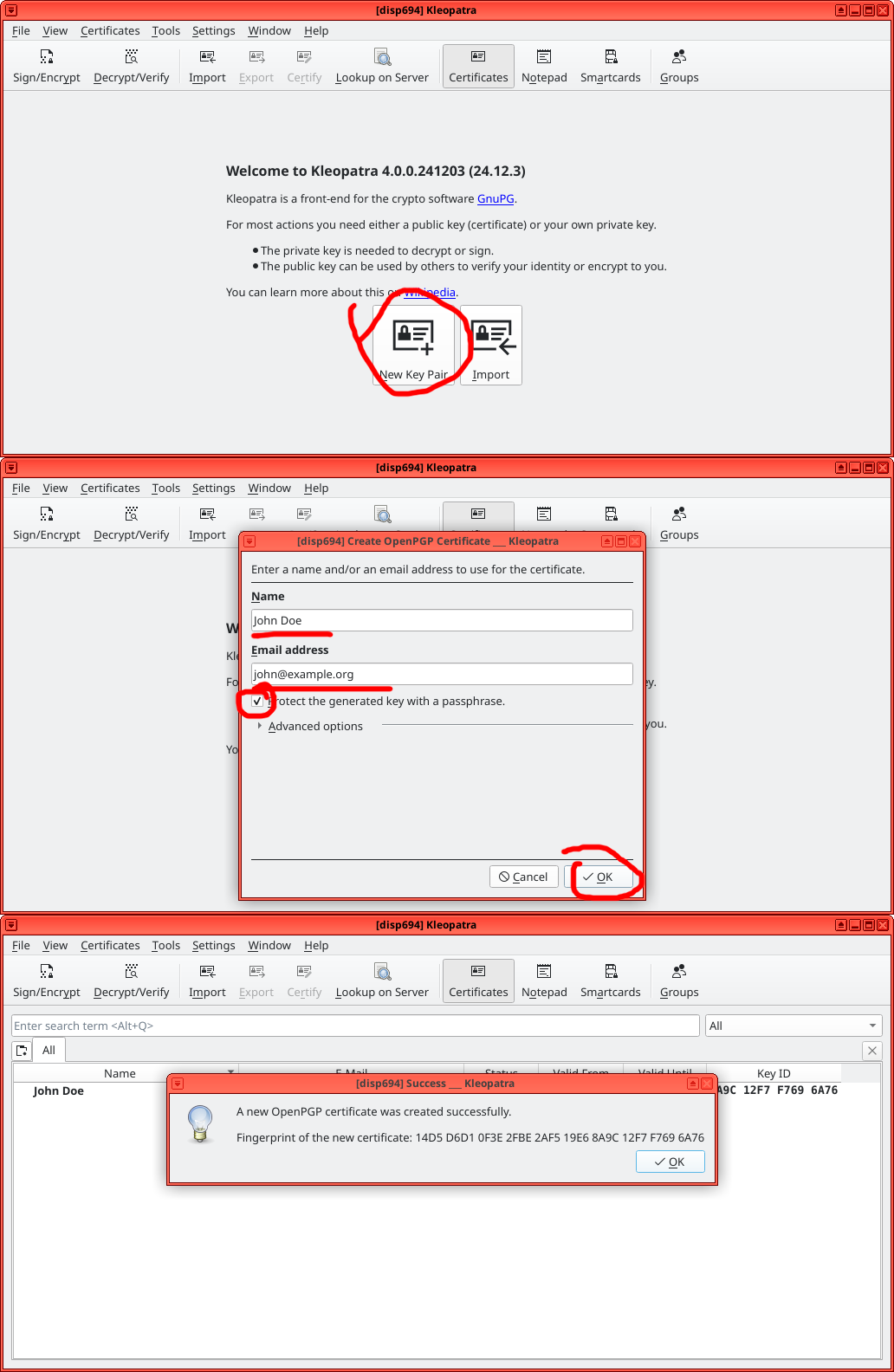
- Open Kleopatra and click New Key Pair.
- Enter your name and email, check Protect the generated key with a passphrase, then click OK.
- Choose a strong passphrase to protect your secret key.
- Double-click the key you generated, click Export and you will see your public key. Copy everything from
-----BEGIN PGP PUBLIC KEY BLOCK-----to-----END PGP PUBLIC KEY BLOCK-----.
CLI method
- Install GnuPG if you do not already have it.
- Run
gpg --generate-key. - Enter your real name.
- Enter your email address.
- Enter
Oand press Enter. - Choose a strong passphrase to protect your secret key.
- Run
gpg --export --armor <your-email-address>(or, better,gpg --export --armor <your-key-id>orgpg --export --armor <your-fingerprint>). You will see your public key. Copy everything from-----BEGIN PGP PUBLIC KEY BLOCK-----to-----END PGP PUBLIC KEY BLOCK-----.
Sign texts
Graphical method
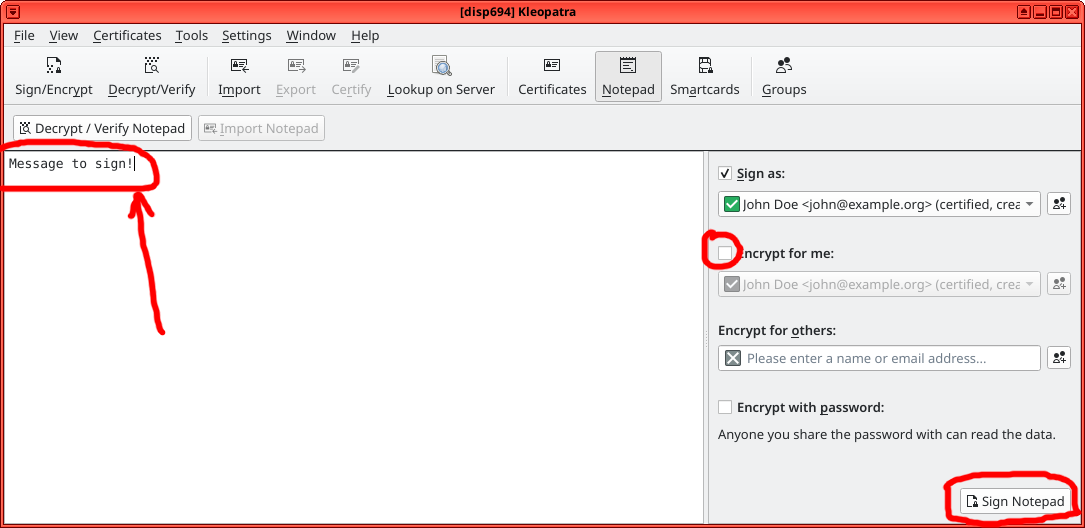
- Open Kleopatra and click Notepad.
- Uncheck Encrypt for me.
- Paste or enter the text to sign and click Sign Notepad.
- The signed text will appear in the input box. Select it (Ctrl+A) and cut it (Ctrl+X).
CLI method
- Run
gpg --clear-sign. - Paste or enter the text to sign and press Ctrl+D (you may need to press it twice).
- Copy the text in the terminal from
-----BEGIN PGP SIGNED MESSAGE-----to-----END PGP SIGNATURE-----.
Android
Generate an OpenPGP key pair
- Install OpenKeychain from F-Droid on your phone.
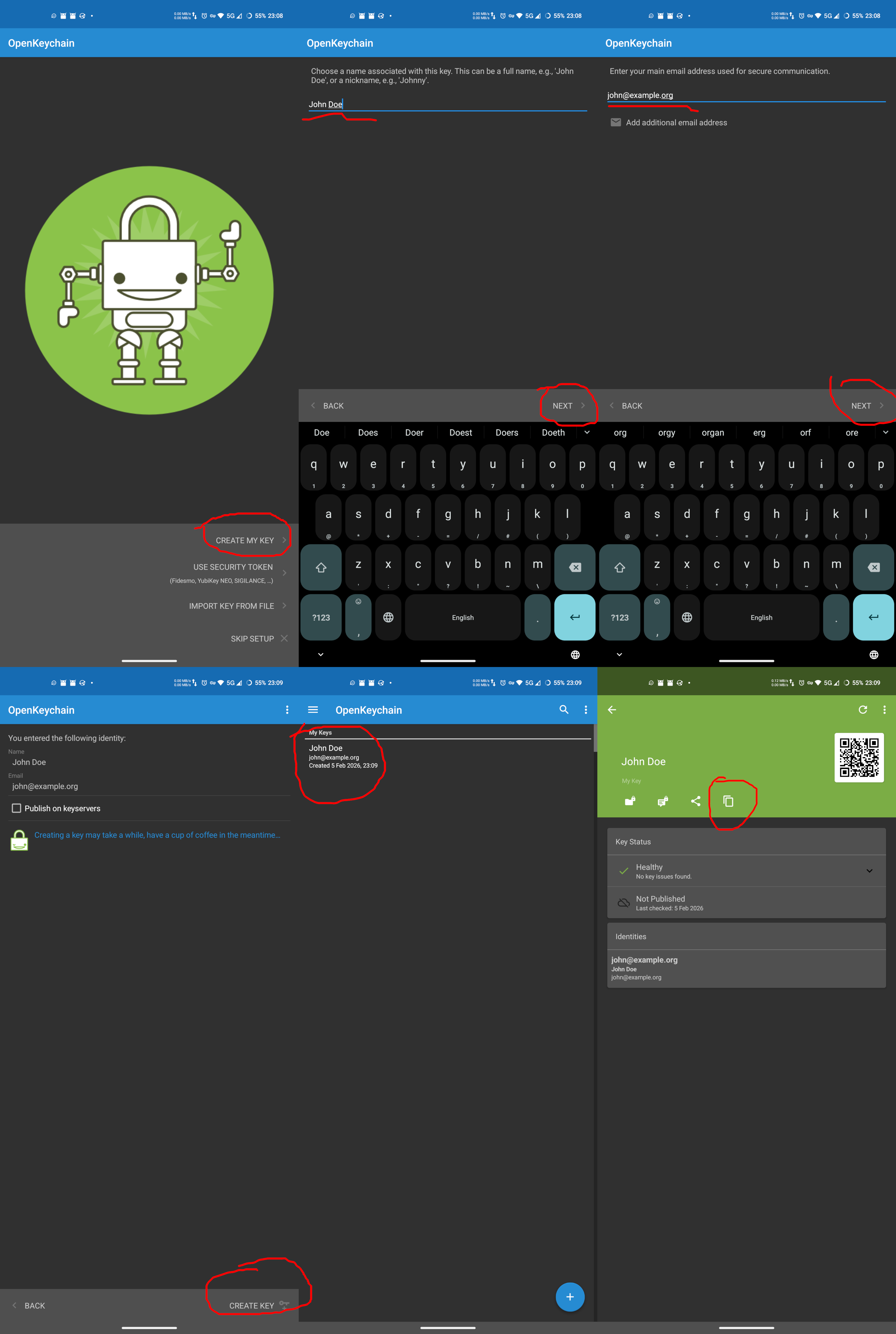
- Open OpenKeychain and tap CREATE MY KEY.
- Enter your name and tap NEXT.
- Enter your email and tap NEXT.
- Do not upload the key to the keyserver for now. Tap CREATE KEY.
- Tap the key you have just generated and tap the copy icon to copy your public key to the clipboard.
Sign texts
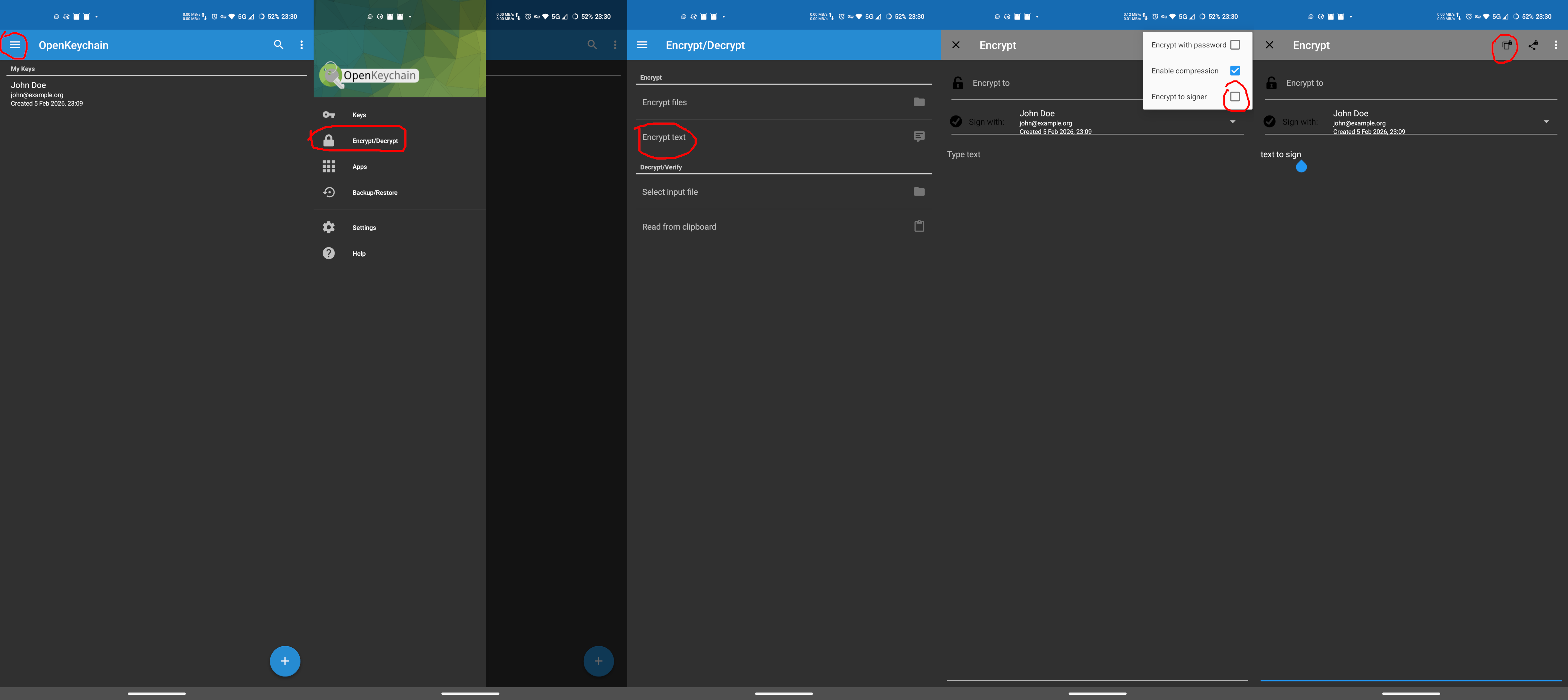
- Open OpenKeychain, open the menu → Encrypt/Decrypt → Encrypt text.
- Open the menu and uncheck Encrypt to signer.
- Paste or enter the text to sign and tap the copy icon to copy the signed text to the clipboard.
Microsoft Windows
Download and install Gpg4win. Open Kleopatra on your computer. The rest of the process is the same as the GNU/Linux graphical method above.